Blog
2026 Toyota Corolla Hatchback: Complete Guide to Price, Performance, Features, and Trim Levels


The 2026 Toyota Corolla Hatchback continues to combine compact dimensions, practical hatchback utility, sporty styling, efficient performance, and modern technology in one approachable package. For drivers who want something more distinctive than a traditional compact sedan without moving into a larger crossover, the Corolla Hatchback remains an appealing choice. For the 2026 model year, Toyota offers the hatchback in SE, FX, and XSE grades, with a 2.0-liter Dynamic Force four-cylinder engine, a continuously variable transmission, and a strong collection of standard safety and connectivity features.
With a starting MSRP of $24,580 on Toyota’s current U.S. consumer site, the 2026 Corolla Hatchback occupies an interesting position for shoppers looking for a reasonably priced new car with sporty character. The lineup also introduces the limited-production FX Edition, which adds distinctive styling and interior upgrades for buyers who want something more exclusive.
2026 Toyota Corolla Hatchback Price and Trim Levels
The 2026 Toyota Corolla Hatchback lineup is designed around three different personalities. The SE serves as the entry point, while the FX adds special styling and equipment, and the XSE sits at the top of the range with additional comfort, technology, and performance-oriented features.
Toyota currently lists the 2026 Corolla Hatchback SE at $24,580, the FX at $27,180, and the XSE at $27,575 before applicable destination charges, taxes, dealer fees, and options. The SE is rated at an estimated 32 mpg city and 41 mpg highway, while the FX and XSE are rated at approximately 30 mpg city and 38 mpg highway.
The SE makes sense for buyers who prioritize value and fuel economy. The FX is aimed at customers who want a more expressive appearance, while the XSE provides a more premium experience with features such as heated sport seats, dual-zone automatic climate control, and additional technology.
Engine, Performance, and Driving Experience
Under the hood, the 2026 Toyota Corolla Hatchback uses a 2.0-liter Dynamic Force four-cylinder engine producing 169 horsepower and 151 lb.-ft. of torque. Power is delivered through Toyota’s Dynamic-Shift continuously variable transmission, while paddle shifters and selectable driving modes add a more engaging element to the driving experience.
Toyota provides Normal, Sport, and Eco driving modes, allowing drivers to adjust the character of the vehicle according to the situation. Sport mode is particularly relevant to the Corolla Hatchback’s personality because the car is designed to feel more agile and responsive than a basic economy-focused compact.
The hatchback’s compact dimensions also make it well suited to urban driving. Its relatively small footprint can make parking and maneuvering easier, while the hatchback body provides practical access to the rear cargo area. Toyota’s TNGA-C platform contributes to the vehicle’s handling characteristics, with a low center of gravity and suspension tuning intended to balance ride comfort with responsive handling.
2026 Corolla Hatchback FX: The New Sporty Edition
One of the most interesting elements of the 2026 lineup is the Corolla Hatchback FX Edition. Toyota announced that the FX would bring a more distinctive appearance and several exclusive details to the hatchback range.
The FX features 18-inch gloss-white-finished alloy wheels, a black vented sport wing, black badging, and other exterior details that give it a noticeably sportier visual identity. Inside, it receives sport touring seats with orange stitching, with the contrasting color treatment continuing onto other interior elements.
Toyota has also stated that only 1,600 Corolla Hatchback FX Editions are being assembled for the U.S. market for the 2026 model year. That limited production makes the FX particularly interesting for buyers who want a Corolla Hatchback that looks less conventional and potentially feels more collectible than a standard trim.
Interior, Cargo Space, and Technology
Inside, the 2026 Toyota Corolla Hatchback focuses on straightforward functionality while adding the technology expected in a modern compact car. The vehicle comes with an 8-inch Toyota Audio Multimedia touchscreen, wireless Apple CarPlay and Android Auto compatibility, Bluetooth connectivity, and a six-speaker audio system.
The hatchback body is one of its biggest practical advantages. Rear seats can fold down in a 60/40 split configuration, giving owners more flexibility when transporting larger objects. Toyota also lists up to 23.0 cubic feet of cargo volume for the Corolla Hatchback.
Higher trims add equipment designed to make everyday driving more comfortable. The XSE includes dual-zone automatic climate control, a 7-inch digital gauge cluster, heated front sport seats, an eight-way power-adjustable driver’s seat, and SofTex-trimmed seating surfaces. JBL premium audio is also available as part of the upper-level equipment.
Safety Features and Driver Assistance
Safety remains a major selling point of the 2026 Corolla Hatchback. Toyota equips the vehicle with Toyota Safety Sense 3.0, a suite of driver-assistance technologies intended to help drivers identify and respond to potential hazards.
The system includes features such as Pre-Collision System with Pedestrian Detection, Full-Speed Range Dynamic Radar Cruise Control, Lane Departure Alert, Lane Tracing Assist, Automatic High Beams, Road Sign Assist, and Proactive Driving Assist, depending on the applicable equipment and configuration.
Another important 2026 update is the availability of Blind Spot Monitor with Rear Cross-Traffic Alert as standard equipment across all grades. Toyota also made a wireless smartphone charger standard across the lineup, strengthening the technology package without requiring buyers to move immediately to the most expensive trim.
These features do not replace attentive driving, but they add another layer of assistance during everyday commuting, highway travel, parking, and lane changes.
Fuel Economy and Everyday Practicality
Fuel efficiency is another reason the 2026 Toyota Corolla Hatchback remains relevant in the compact-car market. The SE delivers an EPA-estimated 32 mpg city, 41 mpg highway, and 35 mpg combined, according to Toyota’s published information. The FX and XSE are rated at approximately 30/38 mpg city/highway.
These figures make the Corolla Hatchback particularly attractive to commuters who want sporty styling without accepting the fuel consumption associated with larger performance vehicles. The car’s compact size, hatchback practicality, and efficient four-cylinder engine create a combination that works well for city driving, commuting, weekend trips, and everyday errands.
Another advantage is the straightforward gasoline powertrain. Unlike the 2026 Corolla sedan, which is also available with a hybrid system, the Corolla Hatchback lineup uses the 2.0-liter gasoline engine. Buyers who specifically want a hatchback with a hybrid powertrain will therefore need to consider alternatives.
Is the 2026 Toyota Corolla Hatchback Worth Considering?
The 2026 Toyota Corolla Hatchback is a strong choice for buyers who want a compact car that combines efficiency, practicality, technology, safety, and sporty styling. The SE provides the strongest value and fuel-economy combination, while the FX stands out through its limited production and distinctive appearance. The XSE is the natural choice for customers who want additional comfort and premium features.
Its 169-horsepower engine is not designed to turn the Corolla Hatchback into a high-performance sports car, but it provides enough output for everyday driving while maintaining impressive fuel economy. The hatchback body also gives it an advantage over conventional sedans when versatility matters.
For 2026, Toyota has strengthened the formula with the new FX Edition and standard safety and convenience equipment. With its competitive pricing, modern connectivity, efficient powertrain, and recognizable Toyota practicality, the 2026 Toyota Corolla Hatchback remains one of the more interesting compact hatchbacks for drivers who want everyday usability without giving up personality. Specifications, pricing, equipment availability, and regional offerings can vary, so buyers should confirm the exact configuration with Toyota or a local dealer before purchasing.

The Northbound I-41 Lanes Near Kaukauna Closed Due to Crash involving a commercial semi-truck and trailer on August 28, 2026. The incident occurred during the morning commute near County Highway JJ and Wrightstown Road, disrupting traffic on an important interstate corridor connecting the Fox Cities with Green Bay.
According to local news reports, the crash happened at approximately 7:14 a.m. and blocked all northbound lanes. Emergency responders and highway crews worked to remove the truck and trailer, assess the roadway, and repair damaged infrastructure. The highway reopened around midday after nearly five hours of disruption. Officials reported no injuries in that incident.
For commuters, truck drivers, and other motorists, the incident highlights the importance of checking current traffic conditions before traveling through Kaukauna. Although the August crash has been cleared, construction and other traffic restrictions can still affect Interstate 41. Here is what drivers should know about the incident, its impact, alternate routes, and road safety.
What Happened on Northbound I-41 Near Kaukauna?
The crash occurred on Friday, August 28, 2026, near County Highway JJ in the Kaukauna area of Outagamie County. Reports from WBAY and FOX 11 News identified a commercial semi-truck and trailer as the vehicles involved.
The truck and trailer blocked all northbound lanes, leaving traffic unable to continue through the affected section of the interstate. Officials closed the roadway to allow emergency personnel to respond and crews to work safely.
The incident also required more than simply removing the damaged vehicle. According to WBAY, crews needed to repair concrete barriers and the road surface before traffic could safely resume. These additional tasks contributed to the extended closure.
The Wisconsin State Patrol investigated the cause of the crash. Officials reported that no one was injured, although motorists experienced substantial delays while the highway remained closed.
This incident should be distinguished from other crashes reported near Kaukauna during 2026. Several separate incidents have affected I-41 at different interchanges, and the circumstances, reopening times, and injury reports vary from one event to another.
How Long Were the Northbound I-41 Lanes Closed?
The August 28 closure lasted nearly five hours. The crash was reported shortly after 7 a.m., and traffic returned to the affected northbound lanes around midday.
During the closure, drivers faced delays because all northbound lanes were blocked by the commercial vehicle and trailer. Traffic restrictions remained in place while crews cleared the scene and completed necessary repairs.
The length of a highway closure depends on several factors, including the size of the vehicles involved, the extent of the damage, the need for emergency assistance, and whether the roadway requires repairs before reopening.
For example, removing a disabled passenger vehicle may take less time than recovering a large semi-truck and trailer. If concrete barriers or pavement are damaged, transportation officials must also ensure that the affected section is safe for traffic.
A reopening estimate is not a guarantee. Drivers should rely on updated transportation alerts rather than assuming that a road will reopen at the time initially announced.
The August incident is now a completed event, so motorists planning a trip on October 21, 2026, should check current conditions rather than treating the historical closure as an active emergency.
Where Did the Crash Occur, and How Did It Affect Traffic?
The crash occurred on northbound Interstate 41 near County Highway JJ and Wrightstown Road, in the Kaukauna area of northeastern Wisconsin. This stretch of I-41 serves commuters, commercial vehicles, and travelers moving between the Fox Cities and the Green Bay region.
When all northbound lanes are closed, vehicles approaching the affected section may have to leave the interstate or follow an official detour. This can increase traffic on nearby county highways and connecting roads.
Motorists traveling through the area may also experience slower journeys even when they are not directly involved in the incident. Drivers approaching a closure can create queues, while vehicles diverting onto local roads may increase congestion around intersections and highway ramps.
Commercial drivers can face additional complications because large vehicles need more room to turn and may be restricted from using certain local roads. For that reason, truck drivers should follow posted detours and instructions from transportation authorities instead of choosing an unfamiliar shortcut.
The exact extent of congestion varies with the time of day, traffic volume, and duration of the closure. Checking live traffic conditions is the best way to determine whether a particular route is affected.
Alternate Routes and Traffic Information for Drivers
When northbound I-41 is closed near Kaukauna, drivers should follow the detour announced by the Wisconsin Department of Transportation (WisDOT). The recommended route can change depending on the closure’s precise location and the condition of surrounding roads.
During the August 28 incident, a reported alternate route directed northbound traffic onto County Highway J, then north to County Highway S, and east toward the I-41 entrance. Motorists should confirm that this route is appropriate for the specific closure they encounter rather than automatically applying it to every incident.
For reliable updates, drivers can use the following resources:
511 Wisconsin: The official traveler information service provides traffic incidents, lane closures, travel speeds, road conditions, and traffic camera information.
WisDOT I-41 Project website: Provides construction updates, planned lane restrictions, interchange closures, and detour information.
Local news outlets: Stations such as FOX 11, WBAY, and NBC 26 report major incidents and reopening announcements in northeastern Wisconsin.
WisDOT’s official traveler information system is available at 511 Wisconsin. Its I-41 Project website also lists scheduled restrictions and construction-related detours.
Checking these sources before departure can help motorists avoid unnecessary delays and select a suitable route.
Why Construction and Road Safety Matter on I-41
Crashes on busy interstate highways can create major disruptions because vehicles travel at high speeds and traffic volumes can be substantial. Construction areas introduce additional challenges when lane configurations change, barriers narrow the available roadway, or drivers must adjust to temporary traffic patterns.
The August 28 crash required repairs to barriers and the pavement, demonstrating how an incident can affect more than the vehicles involved. Even after emergency responders finish their work, transportation crews may need time to restore the road to a safe condition.
Drivers can reduce their risk by maintaining a safe following distance, observing posted speed limits, and avoiding sudden lane changes. In construction zones, motorists should pay particular attention to temporary signs, merging instructions, and changing traffic patterns.
When traffic slows unexpectedly, avoid distractions and watch for stopped vehicles ahead. If a closure appears on a navigation application, do not make abrupt maneuvers to leave the interstate. Follow official directions and use designated exits or detours.
These precautions are particularly important for truck drivers, who need more distance to stop and more space to maneuver than smaller vehicles.
Is Northbound I-41 Near Kaukauna Still Closed?
The northbound I-41 closure associated with the August 28 semi-truck crash has ended. Local reporting confirmed that the highway reopened after crews removed the vehicle and completed the necessary roadway repairs.
However, this does not mean every section of I-41 is free from restrictions. As of October 21, 2026, the WisDOT I-41 Project website lists scheduled nighttime closures and other construction-related restrictions along parts of the wider I-41 corridor. These are separate from the August crash.
Because traffic conditions can change throughout the day, drivers should check the official traffic map before setting out. If a new crash occurs, authorities may temporarily close one or more lanes while they investigate and clear the roadway.
Motorists should also distinguish between a crash-related emergency closure and a planned construction closure. Both can cause delays, but they may involve different detours, schedules, and reopening estimates.
Conclusion
The northbound I-41 lanes near Kaukauna closed after a semi-truck and trailer crash on August 28, 2026, blocking traffic near County Highway JJ and Wrightstown Road. The closure lasted nearly five hours while crews removed the vehicle, repaired damaged barriers and pavement, and restored safe driving conditions. Authorities reported no injuries.
Although that incident has been cleared, I-41 construction and other traffic disruptions can still affect journeys through northeastern Wisconsin. Drivers should check 511 Wisconsin, review official WisDOT project updates, and follow posted detours before traveling.
By staying informed, allowing extra time, and driving carefully around construction zones, motorists can better manage unexpected delays and travel more safely through the Kaukauna area.
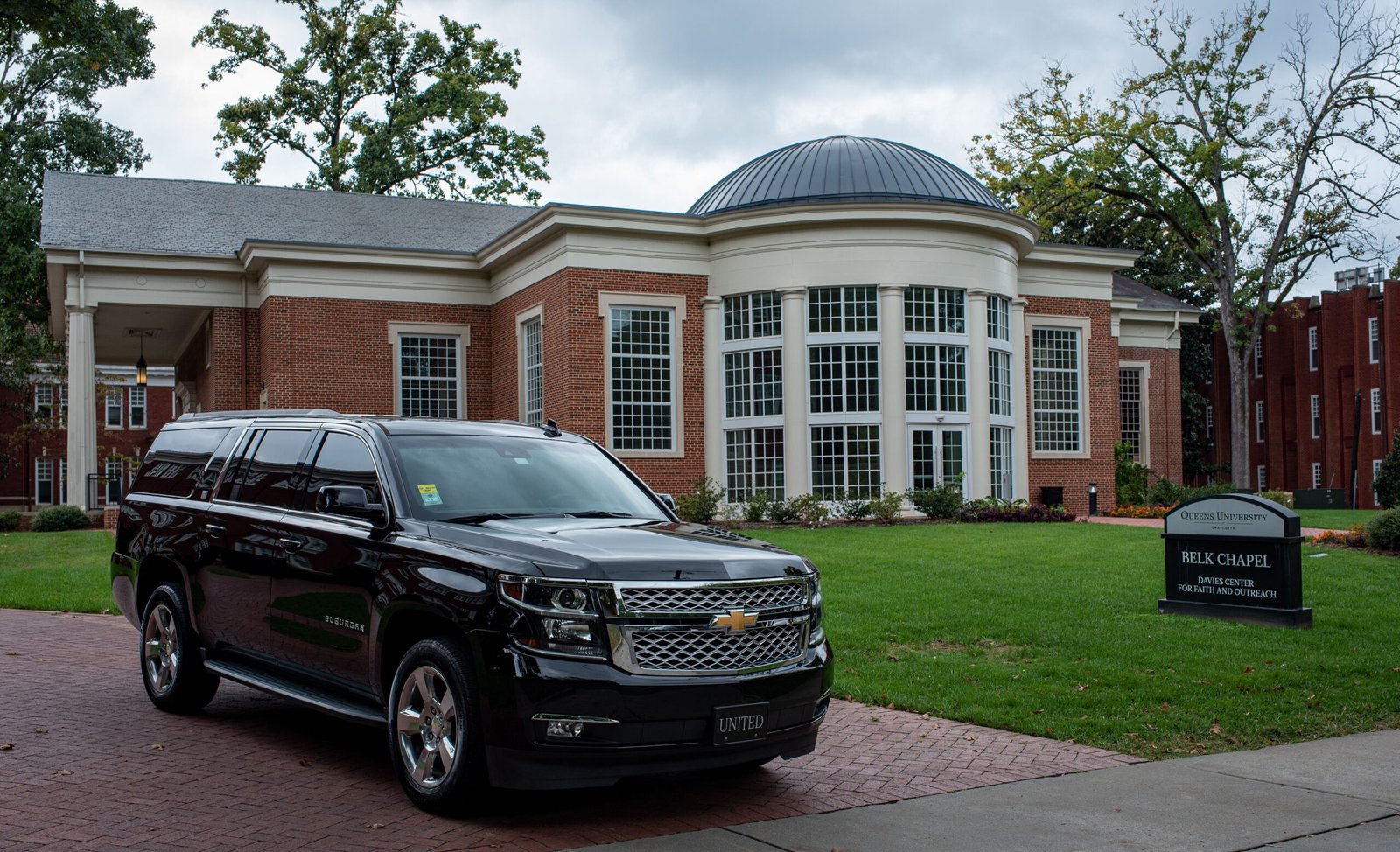
The Chevy Traverse 2025 is a midsize three-row SUV designed for families, road-trip enthusiasts, and drivers who need generous passenger space without sacrificing modern technology. With its bold exterior styling, spacious cabin, turbocharged engine, and practical storage solutions, the Chevrolet Traverse offers a compelling combination of comfort, capability, and everyday usability. The 2025 model continues the fourth-generation Traverse design introduced for the 2024 model year, bringing a more rugged appearance and a technology-focused interior to the competitive midsize SUV segment.
For buyers comparing family vehicles, the 2025 Chevrolet Traverse deserves attention because it combines three-row seating with a powerful standard engine, a large infotainment display, and a range of driver-assistance features. Whether we are considering school runs, weekend adventures, long-distance travel, or daily commuting, this SUV aims to make every journey more convenient. Understanding its trims, performance, interior dimensions, safety technology, and available features helps us determine whether it is the right vehicle for our needs.
1. 2025 Chevy Traverse Overview: Design, Trims, and Key Features
The 2025 Chevy Traverse features a bold, squared-off design that gives it a more substantial presence on the road than earlier versions. Its wide front grille, distinctive lighting, sculpted bodywork, and upright proportions create a modern SUV appearance. Depending on the trim, exterior details range from practical family-oriented styling to sportier accents and more adventure-focused equipment.
Chevrolet offers several trims for the 2025 Traverse, including LT, Z71, RS, and High Country. Each version targets a slightly different type of buyer. The LT emphasizes everyday practicality and family comfort, while the Z71 is designed for drivers who want additional capability on rough roads. The RS adds sport-inspired styling and premium touches, whereas the High Country focuses on upscale design and additional convenience features.
The SUV’s overall design prioritizes usability. Wide doors help passengers enter and exit, while the tall roofline supports headroom across all three rows. The rear liftgate provides access to a substantial cargo area, making the Traverse suitable for groceries, sports equipment, luggage, and other everyday essentials.
As equipment varies by trim and package, we should review the specifications of the exact vehicle before purchasing. Available features, drivetrain configurations, seating materials, and convenience technologies may differ across models.
2. Engine, Performance, and Fuel Economy of the 2025 Chevrolet Traverse
Performance is one of the most important considerations when choosing a three-row family SUV, and the 2025 Chevrolet Traverse delivers 328 horsepower from its 2.5-liter turbocharged four-cylinder engine. The engine produces 326 lb-ft of torque in the U.S. specification and works with an eight-speed automatic transmission. This combination provides the power needed for highway merging, passing slower traffic, and carrying passengers with luggage.
Unlike some competitors that offer several engine options, Chevrolet keeps the Traverse powertrain lineup relatively straightforward. The turbocharged engine delivers strong output without requiring a larger V6 engine, while the automatic transmission is designed to provide smooth power delivery in everyday driving. Actual performance and fuel consumption depend on driving habits, road conditions, vehicle load, and drivetrain configuration.
Front-wheel drive (FWD) is available on selected trims, while all-wheel drive (AWD) is available on several versions. The Z71 comes with a more specialized twin-clutch AWD system designed to improve traction on uneven surfaces. For drivers who regularly encounter rain, gravel roads, or challenging outdoor routes, the Z71’s drivetrain and additional hardware can offer advantages over a standard family-focused configuration.
The Traverse also supports towing when properly equipped. Chevrolet lists a maximum towing capacity of up to 5,000 pounds with the appropriate trailering equipment. This capability can be useful for small recreational trailers, selected boats, and other compatible loads. Before towing, we should verify the vehicle’s specific equipment, trailer weight, payload limits, and the instructions in the owner’s manual.
Fuel economy should be evaluated alongside power and vehicle size. The Traverse is a substantial three-row SUV, so its fuel consumption will generally be higher than that of a smaller crossover. Buyers should compare the official fuel-economy figures for the precise model and drivetrain they intend to purchase rather than assuming every trim delivers identical results.
3. Interior Comfort, Seating Capacity, and Cargo Space
One of the strongest reasons to consider the 2025 Chevy Traverse is its spacious interior. The three-row cabin is designed to accommodate growing families, carpooling, and extended journeys. Depending on the seating configuration, the SUV can accommodate up to eight passengers. Certain configurations use second-row captain’s chairs, which provide a more open passage to the third row but reduce total seating capacity.
The first row provides a commanding driving position and practical access to the dashboard controls. The second row is designed to accommodate adults or children, while the third row adds flexibility for larger families. As with most three-row SUVs, passenger comfort in the rearmost seats can vary depending on occupant height and the position of the second row. We recommend testing all three rows before making a final decision.
Cargo flexibility is another major advantage. With the rear seats folded, the Traverse offers up to 97.6 cubic feet of maximum cargo space in the U.S. specification. This makes it useful for transporting bulky purchases, luggage, camping supplies, and sports equipment. Actual space behind the third row is more limited when all seats are occupied, so families who frequently travel with seven or eight passengers should assess how much luggage they typically carry.
Interior materials and comfort equipment vary by trim. The LT focuses on practical everyday use, while higher trims offer additional upscale touches and convenience options. Depending on the configuration, available equipment may include heated front seats, a power liftgate, wireless phone charging, and upgraded upholstery.
For families, the value of this interior extends beyond its dimensions. Storage compartments, flexible seating arrangements, and convenient access to the rear seats can make routine activities easier. Whether we are packing for a holiday, transporting children to school, or organizing equipment for a weekend outing, the Traverse is built around passenger and cargo versatility.
4. Technology, Infotainment, and Connectivity Features
The 2025 Traverse features a modern dashboard centered on a 17.7-inch diagonal infotainment touchscreen and an 11-inch driver information display. The large central screen gives the cabin a contemporary appearance and provides a convenient interface for navigation, audio, vehicle settings, and compatible smartphone features.
Google built-in compatibility provides access to supported Google services and voice-assisted functions, depending on equipment and service availability. Apple CarPlay and Android Auto compatibility can help drivers connect compatible smartphones for music, calls, messaging, and navigation. Wireless phone charging is also available on specified configurations, reducing the need for charging cables during everyday journeys.
Connected services through OnStar and the myChevrolet app can add convenience through supported remote commands, vehicle information, and other connected features. Subscription requirements and the availability of individual services may vary, so buyers should check the terms associated with their vehicle.
The large display is especially useful for drivers who regularly depend on navigation or need clear access to vehicle information. Nevertheless, we should configure navigation and entertainment before driving and avoid interacting with distracting menus while the vehicle is moving.
Higher trims and selected packages may offer additional premium technology, including enhanced driver assistance features. Because equipment can vary by market, production date, and installed packages, it is important to confirm the precise features of any vehicle advertised for sale.
5. Safety Features and Driver-Assistance Technology
Safety is an essential consideration for families shopping for a midsize SUV, and the 2025 Chevrolet Traverse includes a range of standard and available driver-assistance features designed to help drivers remain aware of their surroundings. These technologies can provide alerts, assist with braking, and help reduce certain driving risks, although they do not replace attentive driving.
Chevrolet’s safety and assistance equipment includes features such as Automatic Emergency Braking, Forward Collision Alert, Lane Keep Assist with Lane Departure Warning, and Front Pedestrian and Bicyclist Braking. Depending on the configuration and package, the vehicle can also offer Blind Zone Steering Assist, Rear Cross Traffic Braking, and additional braking assistance systems.
The available HD Surround Vision system can help drivers monitor the area around the SUV when maneuvering in tight spaces. Parking assistance features are particularly useful in crowded shopping centers, residential driveways, and parking garages, where the Traverse’s larger dimensions can require additional attention.
Adaptive Cruise Control is available on specified configurations and can help maintain a selected following distance from a vehicle ahead. Certain higher-level packages may provide more advanced driver-assistance technology, depending on the model and market.
Families should remember that safety equipment differs between trims and optional packages. We should check the original window sticker and vehicle specifications to confirm which systems are installed. Cameras, sensors, and automated assistance features may also be affected by poor weather, dirt, road markings, and other environmental conditions. Drivers remain responsible for steering, braking, and monitoring traffic at all times.
6. 2025 Chevy Traverse Trims, Pricing, and Best Value
Choosing the right trim is an important part of buying the 2025 Chevy Traverse because each version emphasizes different priorities. The four principal trims offer a range of practical, adventure-oriented, and premium configurations.
| Trim | Main appeal | Best suited for |
|---|---|---|
| LT | Practical features and family versatility | Everyday family use |
| Z71 | Specialized AWD, lifted suspension, and off-road-oriented equipment | Outdoor adventures |
| RS | Sport-inspired styling and premium features | Buyers who prefer a sporty appearance |
| High Country | Upscale styling and additional convenience equipment | Buyers seeking a more premium experience |
The LT is a sensible starting point for buyers who prioritize passenger space, technology, and everyday practicality. It provides the core Traverse experience without requiring the additional equipment associated with the more expensive trims.
The Z71 is particularly attractive to drivers who want to travel beyond paved roads occasionally. Its twin-clutch AWD system, lifted suspension, hill descent control, skid plate, and all-terrain tires distinguish it from the standard family-oriented versions. However, this equipment does not make the Traverse a substitute for a specialized off-road vehicle in extreme terrain.
The RS focuses on sportier design, while the High Country appeals to buyers interested in a more upscale appearance and additional comfort-oriented features. The exact equipment depends on the selected package and market.
For U.S. buyers, published starting MSRP figures for the 2025 model year began at approximately $40,700 before destination charges for the LT, with higher trims priced accordingly. Actual transaction prices depend on the drivetrain, options, dealer pricing, taxes, fees, and regional availability.
When comparing prices, we should consider the total cost of ownership rather than the purchase price alone. Insurance, fuel, maintenance, tires, financing, and depreciation can all affect long-term expenses. Used 2025 Traverse models should also be evaluated according to mileage, accident history, service records, remaining warranty coverage, and overall condition.
7. Is the 2025 Chevrolet Traverse Worth Buying?
The 2025 Chevy Traverse is a strong option for buyers who need a spacious three-row SUV with substantial power, flexible seating, and modern technology. Its 328-horsepower turbocharged engine, large infotainment display, generous maximum cargo capacity, and available all-wheel drive make it suitable for a wide range of family and recreational needs.
Its biggest strengths are practicality and versatility. Families can use the cabin for everyday commuting, school transportation, shopping, and longer holidays. Drivers who regularly tow compatible recreational equipment can benefit from its available trailering capability, while the Z71 provides additional equipment for rougher routes and outdoor trips.
Before purchasing, we recommend taking a test drive with the entire family if possible. Check access to the third row, comfort with all seats occupied, visibility, infotainment usability, and cargo room with the seats in your preferred arrangement. Confirm the exact trim, drivetrain, safety equipment, warranty, and any available service history.
Overall, the 2025 Chevrolet Traverse is worth considering for families seeking a capable, roomy, technology-focused SUV. The LT is a practical starting point for many households, the Z71 is appealing for outdoor use, and the RS and High Country offer alternatives for buyers who place greater emphasis on styling and premium equipment.
Frequently Asked Questions About the 2025 Chevy Traverse
How much horsepower does the 2025 Chevy Traverse have?
The 2025 Chevrolet Traverse produces 328 horsepower and 326 lb-ft of torque from its 2.5-liter turbocharged four-cylinder engine in the U.S. specification. An eight-speed automatic transmission is standard.
How many people can the 2025 Chevy Traverse seat?
The Traverse can seat up to eight passengers, depending on the seating configuration. Models equipped with second-row captain’s chairs generally accommodate seven passengers.
Does the 2025 Chevy Traverse offer all-wheel drive?
Yes. All-wheel drive is available on selected trims, while the Z71 includes a specialized twin-clutch AWD system designed to improve traction on challenging surfaces.
How much cargo space does the 2025 Chevy Traverse have?
The U.S.-specification model offers up to 97.6 cubic feet of maximum cargo capacity when the appropriate rear seats are folded. The space available with all three rows in use is smaller.
What is the towing capacity of the 2025 Chevy Traverse?
The Traverse can tow up to 5,000 pounds when properly equipped with the appropriate trailering equipment. The actual permitted load depends on vehicle configuration, passengers, cargo, and trailer specifications.
Which 2025 Chevy Traverse trim is best?
The best trim depends on individual priorities. The LT suits buyers seeking everyday practicality, the Z71 is designed for additional traction and outdoor capability, the RS emphasizes sporty styling, and the High Country targets buyers seeking a more upscale configuration.
Is the 2025 Chevrolet Traverse a good family SUV?
Yes, it is a compelling family SUV thanks to its three-row seating, flexible cargo area, strong engine, large touchscreen, and available driver-assistance features. Families should test all three rows and verify the equipment of the specific vehicle before buying.
Final Verdict:
The Chevy Traverse 2025 combines family-friendly space, confident turbocharged performance, contemporary technology, and versatile trim options in one midsize SUV. For buyers who need room for passengers and luggage without moving to a larger full-size vehicle, it deserves a place on the shortlist. Choosing the right trim and confirming the exact specifications will help ensure that the Traverse meets both present-day needs and long-term expectations.

The Arashiyama Bamboo Forest, also known as the Arashiyama Bamboo Grove, is one of the most recognizable natural attractions in Kyoto, Japan. Located in the western part of the city, this remarkable destination is famous for its towering green bamboo stalks, peaceful walking paths, and distinctive atmosphere. Visitors can stroll beneath the bamboo canopy, watch sunlight filter through the leaves, and experience a landscape that feels very different from Kyoto’s busy streets. The Japan National Tourism Organization identifies the grove as one of Kyoto’s iconic sights and recommends exploring the surrounding temples and historic attractions as part of the visit.
For travelers planning a Japanese holiday in 2026, Arashiyama Bamboo Forest offers a memorable combination of natural beauty, cultural heritage, photography opportunities, and traditional Japanese scenery. Whether we are visiting Kyoto for the first time or returning to discover quieter corners of the city, the bamboo grove provides an excellent starting point for exploring the wider Arashiyama district.
What Makes Arashiyama Bamboo Forest So Famous?
The appeal of Arashiyama Bamboo Forest lies in its simple yet extraordinary scenery. Tall bamboo stalks rise on both sides of the pathway, creating a natural corridor that changes in appearance with the weather and the time of day. When sunlight passes through the canopy, patches of light and shadow appear across the path, giving photographers and nature lovers countless opportunities to appreciate the surroundings.
Bamboo also has a long-standing place in Japanese culture, where it is associated with strength, flexibility, and natural beauty. The grove is part of the wider Sagano and Arashiyama landscape, an area historically appreciated for its scenic surroundings. According to Japan’s official tourism information, aristocrats visited this region centuries ago to enjoy its countryside, colorful foliage, and opportunities for boating.
Although the bamboo path itself is relatively short, its atmosphere makes it a memorable stop. The surrounding district offers historic temples, gardens, riverside views, traditional shops, and additional walking routes, allowing visitors to turn a brief stroll into a half-day or full-day excursion.
Best Time to Visit Arashiyama Bamboo Forest in 2026
Choosing the right time can make a substantial difference to the experience. Early morning is generally the best time to visit Arashiyama Bamboo Forest, especially for travelers hoping to enjoy the scenery with fewer people around. Arriving around 7 a.m. or earlier can offer a quieter walk and attractive natural light before the busiest sightseeing periods begin. The grove is a popular destination, and crowds commonly increase later in the morning.
Late afternoon can provide another opportunity to explore after some tour groups have departed. However, visitors should check the season’s sunset time and allow sufficient daylight for photography and walking. The grove is generally described as accessible around the clock, but nearby temples, gardens, shops, and other attractions have their own opening hours.
Each season offers a different experience:
Spring: Fresh greenery and comfortable conditions can make walking around Arashiyama particularly enjoyable.
Summer: The dense bamboo canopy creates a distinctive green landscape, although the weather can be hot and humid.
Autumn: Colorful foliage in the wider Arashiyama area adds another dimension to the scenery, making it a popular period for sightseeing.
Winter: The bamboo remains visually striking, and colder weather may create a different atmosphere, although daylight hours are shorter.
For a more relaxed trip, we should arrive early, wear comfortable walking shoes, carry drinking water during warm weather, and leave enough time to explore the surrounding attractions rather than rushing through the main path.
How to Get to Arashiyama Bamboo Forest from Kyoto
Getting to Arashiyama Bamboo Forest from Kyoto Station is straightforward, and several railway options serve the wider Arashiyama district. The most direct option for many visitors is the JR Sagano Line to Saga-Arashiyama Station, followed by a walk of approximately 10 minutes to the bamboo grove. The Japan National Tourism Organization confirms this route in its visitor information.
Other options include the Hankyu Railway to Arashiyama Station and the Keifuku Railway’s Randen tram to Arashiyama Station. These stations are in different parts of the district, so the most suitable choice depends on whether we want to visit the bamboo grove first, explore the shopping streets, or begin near Togetsukyo Bridge.
Visitors arriving from Osaka can also reach Arashiyama by rail, usually with a connection depending on their starting station. Before departure, check current train schedules, fares, and any service changes.
Once in the district, walking is one of the best ways to appreciate its scenery. The bamboo grove connects naturally with nearby cultural attractions, and a carefully planned walking route can include temples, shrines, river views, and local cafés.
Top Attractions Near Arashiyama Bamboo Forest
Tenryu-ji Temple
Tenryu-ji is a historic Zen Buddhist temple and a UNESCO World Heritage Site. Its garden combines ponds, carefully arranged vegetation, and views of the surrounding mountains. The temple’s northern exit provides convenient access to the famous bamboo grove, making it an excellent addition to the same visit.
Togetsukyo Bridge
Known as the Moon Crossing Bridge, Togetsukyo Bridge is one of Arashiyama’s best-known landmarks. It crosses the river beneath the surrounding mountains and offers scenic views throughout the year. The riverside area is especially appealing for a leisurely walk and landscape photography.
Nonomiya Shrine
Nonomiya Shrine is a small but culturally significant shrine near the bamboo grove. It has historical associations with purification rituals and is also known as a place where visitors pray for good relationships and marriage. Its setting provides a quieter cultural stop along a bamboo forest walk.
Okochi-Sanso Villa
This former villa features traditional Japanese gardens, winding paths, and elevated views across the surrounding landscape. It offers a peaceful contrast to the busy public bamboo path. Admission is charged, and the included tea and Japanese sweet are an additional highlight of the garden visit.
These attractions make it possible to build a varied itinerary without traveling across the city repeatedly. We can begin with an early bamboo grove walk, visit Tenryu-ji, explore Nonomiya Shrine, continue toward Okochi-Sanso Villa, and finish with a stroll around Togetsukyo Bridge.
Photography Tips, Visitor Etiquette, and Travel Advice
Arashiyama Bamboo Forest is one of Kyoto’s most photographed locations, but capturing its beauty requires patience and consideration. Early morning light can highlight the vertical bamboo stalks, while overcast conditions create softer contrasts. A wide-angle lens can help capture the height of the bamboo, whereas a standard lens can emphasize the repeating patterns along the pathway.
Visitors should remember that the grove is a shared public space. Avoid stopping in the middle of narrow paths, blocking other pedestrians, or disturbing people who are enjoying the scenery. Tripods and other photography equipment should be used considerately, and visitors must follow any posted restrictions.
Protecting the bamboo is particularly important. Kyoto’s official tourism organization has warned about damage caused by people carving words and symbols into bamboo stalks. Such actions harm the plants and spoil the landscape for future visitors. Never carve, break, or damage bamboo, and take photographs rather than leaving marks behind.
We should also wear comfortable shoes, carry a suitable rain layer when necessary, and plan around seasonal temperatures. Although the main grove is accessible without a ticket, admission may be required for nearby temple gardens and other attractions. Check official information before visiting to confirm current entry arrangements.
Frequently Asked Questions About Arashiyama Bamboo Forest
Is Arashiyama Bamboo Forest free to visit?
The public bamboo grove path is generally free to access. However, nearby temples, gardens, and attractions may charge admission. Confirm the current arrangements before traveling.
How long should we spend at the bamboo forest?
The main path can take around 15–20 minutes to walk, depending on crowds and photography stops. Allow at least 90 minutes if you want to include nearby cultural attractions, or half a day or longer to explore the wider district.
Is the bamboo forest open at night?
The public path is generally described as accessible 24 hours a day. However, the grove may be poorly lit after dark, so daytime or early-morning visits are preferable for seeing the bamboo clearly and taking photographs. Nearby attractions operate on separate schedules.
What is the nearest train station?
Saga-Arashiyama Station on the JR Sagano Line is approximately a 10-minute walk from the grove. The Randen and Hankyu railway stations provide alternative access to other parts of Arashiyama.
What is the best month to visit Arashiyama Bamboo Forest?
There is no single best month for everyone. Spring offers fresh greenery, summer brings a lush canopy, autumn adds colorful foliage to the wider district, and winter provides a different atmosphere. Arriving early is often more important than choosing a particular month if avoiding crowds is your priority.
Conclusion
The Arashiyama Bamboo Forest in Kyoto, Japan, is a remarkable destination where natural scenery and cultural heritage come together. Its towering bamboo stalks, peaceful walking paths, and proximity to historic attractions make it an essential stop for many visitors exploring Kyoto.
By arriving early, choosing convenient railway connections, respecting the natural environment, and exploring nearby landmarks such as Tenryu-ji Temple and Togetsukyo Bridge, we can make the most of our visit in 2026. Whether we are interested in photography, Japanese history, nature, or simply enjoying a scenic walk, Arashiyama Bamboo Forest offers a memorable experience in one of Japan’s most celebrated destinations.


 Lifestyle4 months ago
Daily Living Tools That Make Life Easier for Seniors
- Business4 months ago
TravelTweaks Offers 2026 | Complete Guide to Travel Deals, Discounts & Smart Travel Planning
- Celebrity4 months ago
Edith Sarfati: A Closer Look at Her Life, Career, Family, and Lasting Legacy
- Blog4 months ago
RTI Scheduler: The Complete Guide to Flexible Student Scheduling in Modern Schools
- Business4 months ago
Latest News MyGreenBucksNet (2026): Complete Guide to Platform Updates, Features, Earnings, and User Experience
- Tech4 months ago
How to Use 1.5f8-p1uzt in 2026: A Complete Guide to Understanding and Working with This Identifier
- Tech3 months ago
www. #TurboGeek.org Guide 2026 | Technology News, Gaming, Software & Tech Resources
- Business4 months ago
TTweakFlight Discount Codes by TravelTweaks (2026): The Complete Guide to Saving More on Flights